

Ticket queues do not explode because customers suddenly become “needy.” They grow because your product, policies, and communication create uncertainty, and uncertainty turns into contacts. Helpdesk AI can reduce that load dramatically, but only if it is implemented with guardrails that preserve empathy, context, and easy access to a real person.
This guide breaks down what helpdesk AI really includes in 2026, where ticket volume actually comes from, and the practical patterns that cut contacts without making your support feel robotic.
What “helpdesk AI” actually means (and what it is not)
When most teams say “helpdesk AI,” they often mean one of four capabilities:
- AI self-service: smarter knowledge base search, guided troubleshooting, and answer generation.
- Conversational AI: chat or email experiences that resolve simple issues, collect details, or route requests.
- Agent assist (copilot): drafts replies, summarizes threads, suggests next steps, and pulls relevant docs.
- Workflow automation with AI: intent detection, categorization, prioritization, and routing based on customer context.
What helpdesk AI is not: a single bot that replaces your support team. The highest-performing setups treat AI as a front line for routine work and a power tool for agents, while humans own nuanced cases, relationship moments, and judgment calls.
For broader industry context on how service teams are adopting AI, see Salesforce’s annual State of Service research.
Where ticket volume really comes from (and what AI can remove safely)
The fastest way to cut ticket volume is not “more automation.” It is removing the contacts that never should have existed, and handling the remaining ones more efficiently.
Here are common ticket drivers and which ones helpdesk AI can reduce without harming trust.
| Ticket volume driver | What it looks like in the queue | Helpdesk AI approach | Human-touch safeguard |
|---|---|---|---|
| Repetitive questions | “How do I reset…?”, “Where is…?”, “Can I…?” | Knowledge surfacing, auto-answers, conversational resolution | Always offer “Talk to a person,” keep answers short and verifiable |
| Missing details | “I need help” with no account, device, order info | AI forms that ask the right follow-ups | Explain why you need each detail, avoid interrogation tone |
| Misrouted requests | Billing tagged as technical, urgent tagged as normal | AI intent detection + smart routing | Allow easy re-triage by agents, log misroutes for improvement |
| Status updates | “Any update?” “Has it shipped?” “Is it fixed yet?” | Proactive notifications, order and incident updates | Write updates in plain language, include next update time |
| Long back-and-forth | 6 emails to diagnose a 2-minute fix | AI troubleshooting flows + agent assist summaries | Preserve continuity, do not ask customers to repeat themselves |
| Preventable confusion | Tickets caused by unclear UX or policy | AI-based contact reason analytics | Use insights to fix product and comms, not just deflect |
A useful mindset: deflect only what you can resolve well, and accelerate everything else.
6 practical ways to cut ticket volume with helpdesk AI (without losing the human touch)
1) Make your help center “answer-first,” not “article-first”
Traditional knowledge bases are built like libraries. Customers do not browse libraries when they are locked out of an account.
Helpdesk AI can surface a direct answer (with steps and links) based on the customer’s question, product plan, and device. That reduces tickets and also reduces time-to-resolution for customers who never contact you.
Keep it human by:
- Writing answers in a calm, respectful tone (no blame, no jargon)
- Linking to the source article for transparency
- Clearly stating when the answer may vary (billing, security, plan limitations)
If you need a reference point for help center expectations, Zendesk’s CX Trends reports regularly highlight self-service and speed as major drivers of customer satisfaction.
2) Use conversational AI for “resolution,” not just “deflection”
A chatbot that only says “Here are some articles” does not cut volume for long, it just delays the ticket.
Instead, deploy conversational AI for well-bounded tasks where success criteria are clear, such as:
- Password and access troubleshooting
- Order status and delivery ETA
- Simple configuration checks
- How-to guidance with a short decision tree
Keep it human by:
- Making escalation obvious and immediate (one click, not three prompts later)
- Showing the bot’s role transparently (“I can help with quick fixes or connect you to the team”)
- Using customer context so the conversation does not feel generic
3) Proactive support: reduce “Where is my stuff?” and “Is it down?” tickets
A large share of ticket volume is predictable. Customers ask when they lack certainty.
Helpdesk AI can trigger proactive messages based on events, for example:
- Known incident affecting a segment of users
- Delay or backorder signals
- Renewal and billing milestones
- Common setup pitfalls after onboarding
Keep it human by:
- Apologizing when appropriate and avoiding corporate euphemisms
- Including the next update time and what the customer should do (if anything)
- Providing a direct path to a human for edge cases
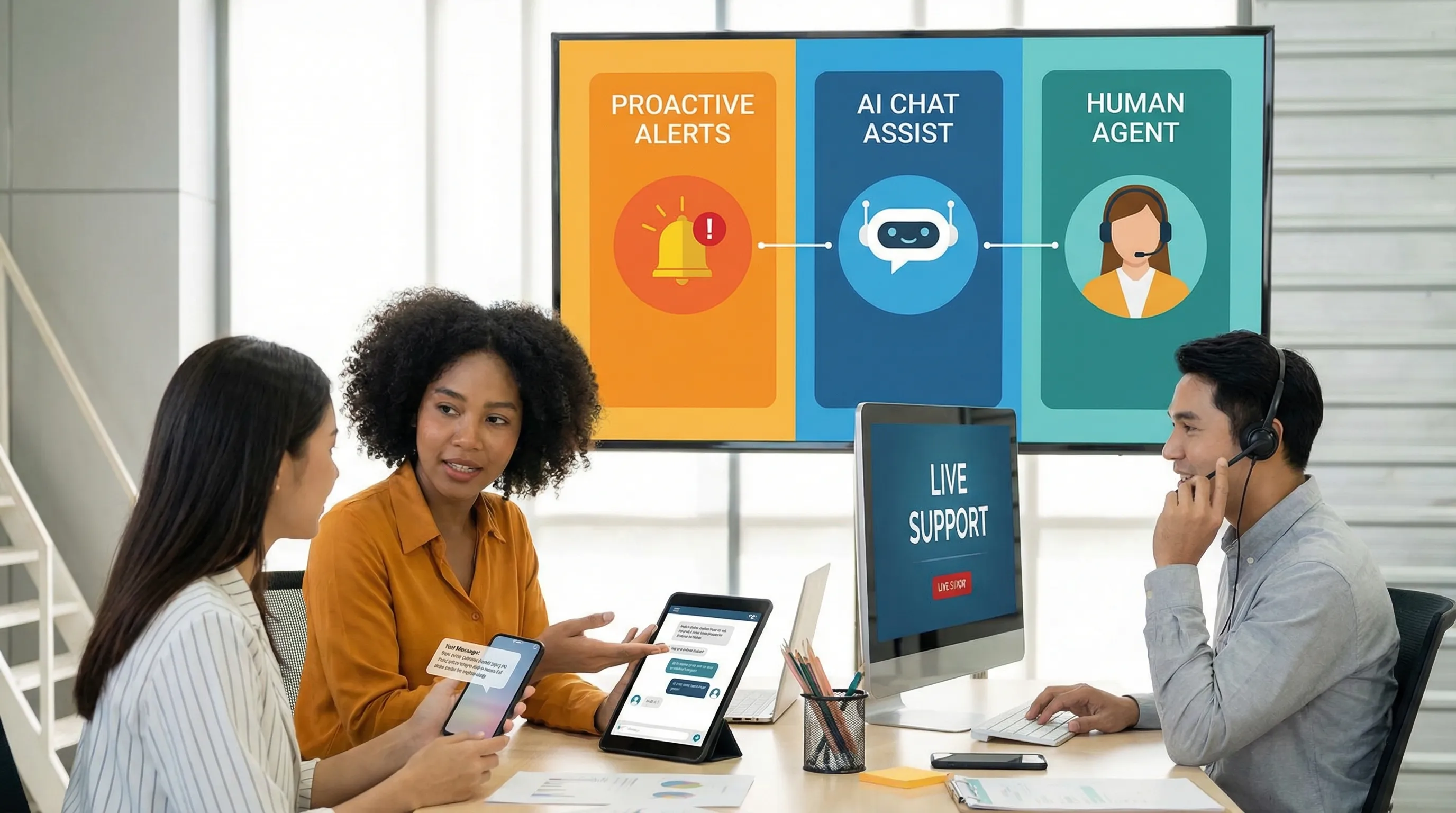
4) AI triage and routing: reduce queue churn and “ping-pong” transfers
Misroutes silently inflate volume because they create extra touches, rework, and repeated explanations.
AI can categorize tickets by intent, sentiment, language, and urgency, then route them to the right queue with the right priority. The impact is often seen in:
- Faster first response for high-risk customers
- Fewer internal transfers
- Higher first-contact resolution
Keep it human by:
- Giving agents an easy way to correct the AI category (and using that feedback loop)
- Creating clear escalation rules for sensitive topics (security, cancellations, safety issues)
- Avoiding “sentiment-only” prioritization that can penalize calm but urgent customers
5) Agent assist: cut volume by resolving more in a single interaction
Reducing ticket volume is not only about preventing tickets. It is also about preventing follow-ups and repeat contacts.
Agent assist features typically help by:
- Summarizing long threads for instant context
- Drafting replies that match policy and tone
- Suggesting troubleshooting steps based on similar solved cases
- Pulling relevant knowledge snippets
Keep it human by:
- Treating AI drafts as drafts, agents should personalize and verify
- Ensuring your tone guidelines favor clarity over “cheerful scripts”
- Adding “moment of empathy” patterns (acknowledge impact, confirm next steps)
A practical benchmark: if agent assist is working, you should see improvements in first-contact resolution and a reduction in reopens, not just faster replies.
6) Close the loop: use AI to spot “contact drivers” and fix the root cause
The most sustainable ticket reduction comes from eliminating the reasons customers reach out.
Helpdesk AI can cluster ticket reasons, summarize emerging themes, and highlight:
- A confusing UI flow that drives repeated questions
- A policy that is misread or inconsistently applied
- A bug that creates a support spike for a specific platform
Keep it human by:
- Sharing insights with product and ops teams with real customer language
- Prioritizing fixes by customer impact, not only by ticket count
- Updating help content and proactive messaging immediately after a fix ships
The “human touch” playbook: guardrails that make AI feel trustworthy
Customers rarely object to AI itself. They object to feeling dismissed, trapped, or misunderstood.
These guardrails preserve trust while still cutting volume.
Be explicit about when a human gets involved
Create clear “human-required” categories, such as:
- Account security and fraud
- Cancellations and refunds (especially high value)
- Accessibility issues
- Escalations from VIP or at-risk accounts
- Safety-related complaints
The key is not only routing, it is signaling. Customers should know they are being taken seriously.
Optimize for low effort, not maximum containment
A high containment rate can be a vanity metric if customers bounce between bot prompts and articles, then open a ticket anyway.
Design your bot to minimize steps:
- Ask only the questions needed to resolve or route
- Summarize what the customer said before escalating
- Hand off with context so the customer does not repeat themselves
Audit tone like you audit security
Tone and policy compliance should be treated as operational risks.
Audit for:
- Blame language (“You should have…”) and overly perky phrasing in serious situations
- Overconfidence (“This will fix it”) when certainty is low
- Unverifiable claims (refund timelines, shipment ETA, policy exceptions)
Make transparency a feature
When AI uses an assumption, it should be visible.
Examples of transparent phrasing:
- “Based on what you described, here are the most likely fixes.”
- “If you are seeing error X, try step Y. If not, tell me what you see on screen and I will route you.”
What to measure (so you cut tickets without damaging CX)
If your only success metric is “tickets avoided,” you will eventually cut the wrong tickets.
Use a balanced scorecard.
| Metric | What it tells you | Watch-out signal |
|---|---|---|
| Contact rate (per active customer) | True volume trend vs growth | Flat tickets but rising customers can hide problems |
| Containment rate | Bot resolves without human | High containment plus low CSAT often means customers gave up |
| Reopen rate | Quality of resolution | Rising reopens indicates shallow fixes |
| Repeat contact rate (7 to 14 days) | Whether problems really got solved | Spikes show deflection without resolution |
| CSAT / CES | Experience and effort | Dropping scores indicate trust erosion |
| Escalation-to-human time | How quickly complex cases reach humans | Slow escalation feels like a trap |
| First-contact resolution | Efficiency and competence | If it drops, AI may be interrupting agent workflows |
A realistic 30-60-90 day rollout plan
First 30 days: pick safe wins and set guardrails
Start with areas where “right answers” are stable.
- Identify top 20 repetitive ticket reasons
- Clean up the knowledge base for those topics (accuracy and clarity first)
- Define escalation rules and sensitive categories
- Establish tone guidelines for AI-generated content
Days 31 to 60: launch AI where it reduces effort immediately
- Deploy AI search and answer surfacing in the help center
- Add AI triage for categorization and routing
- Pilot agent assist with a small group and measure reopens and first-contact resolution
Days 61 to 90: expand, then fix root causes
- Add conversational resolution for 2 to 3 high-volume, low-risk flows
- Implement proactive updates for incidents and order status
- Use AI insights to prioritize 1 to 2 product or policy fixes that remove contact drivers
Where most helpdesk AI projects struggle: people and behavior change
Even the best AI setup fails if:
- Agents do not trust the drafts and ignore them
- Escalation feels like “failure,” so teams over-contain
- Managers coach to speed instead of quality
- The organization cannot consistently write in a human voice
This is where training matters. Your team needs practice handling:
- AI-assisted conversations without sounding scripted
- Escalations that preserve empathy and accountability
- Objections like “Are you a bot?” or “Let me speak to someone”
- Complex edge cases where policy and judgment meet

Frequently Asked Questions
What is helpdesk AI? Helpdesk AI is the use of AI in customer support to power self-service answers, conversational support, ticket triage and routing, and agent assist tools like summarization and reply drafting.
Will helpdesk AI replace human support agents? In most organizations, no. Helpdesk AI is best used to remove repetitive work and speed up resolution, while humans handle complex issues, relationship moments, and sensitive cases.
How do I reduce ticket volume without hurting CSAT? Focus on resolution, not deflection. Combine accurate self-service, fast escalation to humans, proactive updates, and quality metrics like reopens and repeat contact rate.
What should never be fully automated in support? Account security issues, high-stakes billing or cancellations, safety-related complaints, and situations where policy requires discretion are common “human-required” categories.
How do I know if my chatbot is creating more work? Watch for rising reopens, higher repeat contact rate, and lower CSAT or higher effort scores, especially alongside high containment.
Build AI support that still sounds like your best people
Helpdesk AI works best when your team knows how to collaborate with it, not compete with it. Scenario IQ helps support and service teams practice realistic customer conversations using AI-powered roleplay simulations, with real-time feedback, adaptive guidance, and progress tracking analytics so managers can coach to the moments that matter.
If you are rolling out helpdesk AI (or expanding it) and want to protect the human touch while you cut volume, explore Scenario IQ at scenarioiq.ai.