

Sales and support teams are under pressure to do more with less: more channels, shorter buying cycles, higher customer expectations, and constant product change. It is no surprise that leaders are exploring custom AI solutions to improve how reps sell and how agents support customers.
The challenge is that “custom AI” can mean everything from a full in-house model to a few automations in your CRM. If you start in the wrong place, you end up with a pilot that looks impressive in a demo but fails in the real world.
This guide shows a practical starting point: how to choose the right first use case, what data and risk decisions you need to make early, and how to scale without creating new compliance or quality problems.
What counts as a “custom AI solution” for revenue teams?
For sales and support organizations, custom AI usually falls into one (or more) of these buckets:
- Assistive AI inside existing workflows (drafting emails, summarizing calls, suggesting next steps, surfacing knowledge base articles)
- Automation AI that completes repeatable tasks (routing, tagging, after-call notes, ticket classification)
- Customer-facing AI (chat or voice experiences that answer questions or route requests)
- Coaching and enablement AI (roleplay practice, objection handling drills, QA evaluation, skill development)
- Analytics AI that detects patterns (conversation insights, churn signals, coaching opportunities)
“Custom” does not have to mean building a foundation model from scratch. In most teams, custom means one or more of the following:
- Your scenarios, your products, your policies, your tone
- Your scoring rubric and competencies
- Your systems of record (CRM, ticketing, knowledge base)
- Your governance rules (what data is allowed, what outputs are acceptable)
The best place to start depends on your risk tolerance and the outcomes you need.
Step 1: Define outcomes and metrics before you choose a tool
AI initiatives stall when the goal is “use AI” instead of “improve a measurable result.” For sales and support, pick one primary metric and a small set of supporting metrics.
Sales outcome examples
A sales team’s first AI initiative typically ties to:
- Win rate (especially in competitive deals)
- Pipeline velocity (time between stages)
- Conversion rate (lead to meeting, meeting to opportunity)
- Ramp time for new reps
Support outcome examples
Support teams often focus on:
- First contact resolution (FCR)
- Average handle time (AHT), balanced against quality
- Quality assurance scores
- Customer satisfaction (CSAT)
A practical “definition of done”
Write one sentence that would convince a skeptical operator:
- “Within 8 weeks, new reps will demonstrate competency in our top 10 objections, measured by roleplay scores and manager calibration, and we will reduce ramp time by X weeks.”
- “Within 6 weeks, agents will cut time spent searching for answers by X percent, while QA scores stay flat or improve.”
Once the outcome is explicit, the solution design becomes much easier.
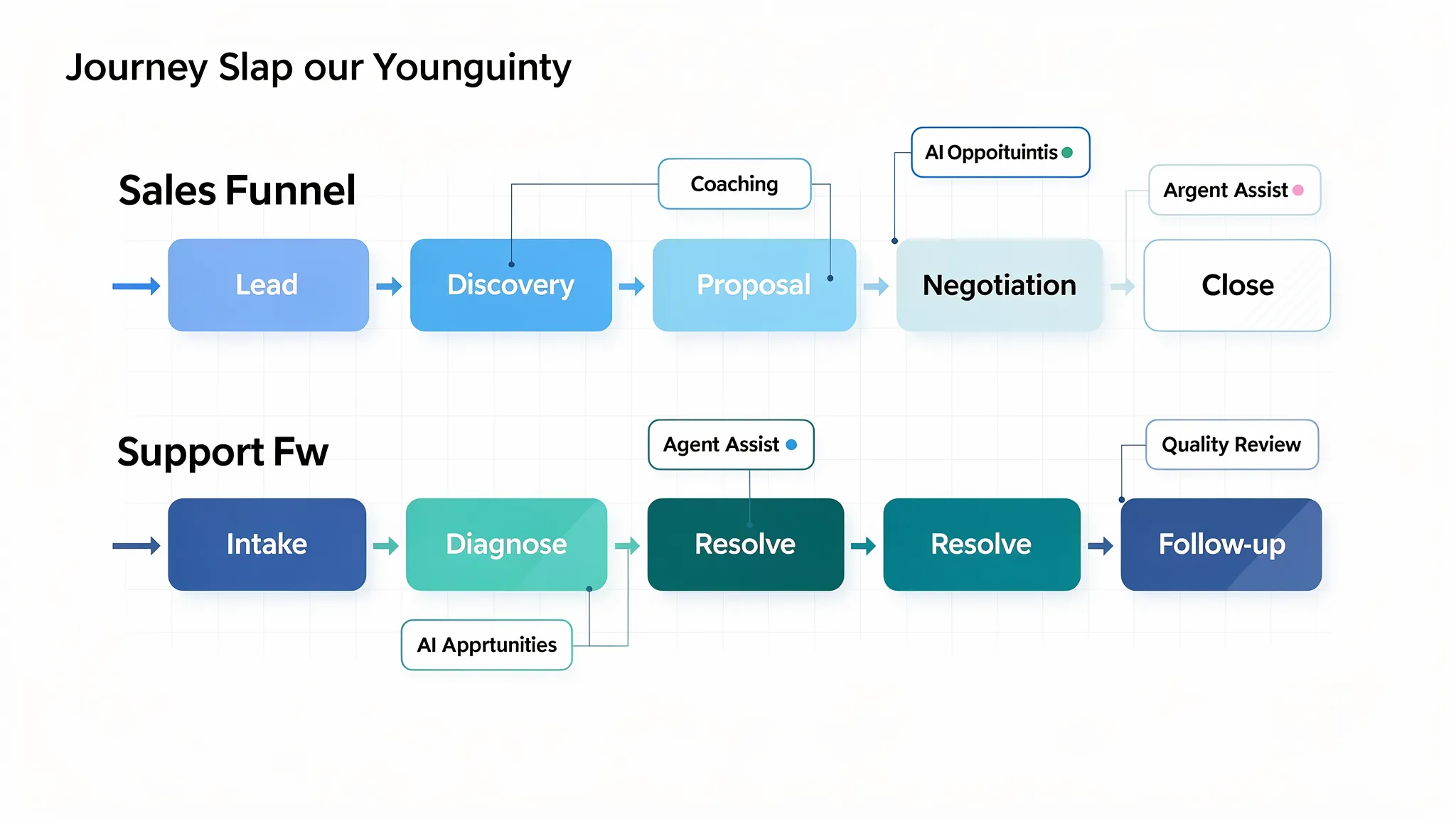
Step 2: Map the moments that matter in sales and support
Instead of starting with a model or a vendor, start with the workflow moments where performance is won or lost.
In sales, those moments are typically:
- Discovery quality (asking, listening, reframing)
- Objection handling (price, risk, switching costs, timing)
- Multi-threading and stakeholder alignment
- Follow-up quality and consistency
In support, those moments are often:
- Triage and intent understanding
- Knowledge retrieval (finding the right procedure)
- Policy-compliant resolution
- De-escalation and empathy under pressure
A simple map helps you pick a first use case that is both impactful and realistic.
Step 3: Choose a first use case that is high impact and low regret
Your first project should teach you about adoption, data constraints, and governance, without putting customer experience at risk.
A reliable way to do that is to score candidate use cases on four dimensions:
- Business impact (revenue, cost, retention)
- Adoption likelihood (does it fit current workflows?)
- Data sensitivity (PII, contracts, regulated info)
- Failure cost (what happens if the AI is wrong?)
Here is a practical comparison of common starting points.
| Use case | Best for | Why teams start here | Typical risk profile |
|---|---|---|---|
| AI roleplay training for objections and conversations | Sales and support | Fast to pilot, clear scoring, improves confidence and consistency | Lower external risk (internal training), medium governance needs |
| Agent assist (suggest articles, summarize, draft responses) | Support | Immediate time savings and consistency, keeps humans in control | Medium (requires strong guardrails and knowledge quality) |
| Sales call summarization and next-step suggestions | Sales | Saves time and improves follow-up quality | Medium (accuracy and privacy considerations) |
| Customer-facing chatbot for Tier 1 issues | Support | Can reduce ticket volume | Higher (hallucinations and policy errors affect customers) |
| Fully automated ticket resolution | Support | Cost reduction | Highest (errors have direct customer and compliance impact) |
If you want the shortest path to value with lower downside, enablement and coaching is often the best entry point. You can tailor scenarios to your product and your playbook, measure skill improvements, and iterate before you automate customer-facing actions.
Step 4: Decide “build vs buy vs hybrid” early
Custom AI solutions do not have to be built from the ground up. Many teams get better outcomes by buying a platform that supports customization, then integrating it with their stack.
| Approach | What it looks like | When it makes sense | Watch-outs |
|---|---|---|---|
| Buy | A vendor tool configured to your processes | You want speed, proven UX, and faster adoption | Ensure it supports the customization you actually need |
| Build | Internal app using selected models and your data | You need deep workflow control and unique requirements | Higher maintenance, governance, and evaluation burden |
| Hybrid | Vendor core plus your data, integrations, and rules | You want speed plus tailored behavior | Integration ownership and clear boundaries are crucial |
A good rule: build only what creates durable differentiation for your business, buy what is standard and repeatable.
Step 5: Get data and guardrails right (before you scale)
AI quality is limited by three things: the quality of your source knowledge, the clarity of your policies, and the strength of your evaluation.
Start with the knowledge source, not the model
For sales and support, the “truth” usually lives in:
- Knowledge base articles and internal SOPs
- Product documentation and release notes
- Pricing and packaging rules
- Support macros and policy documents
- Call scripts and messaging frameworks
If these sources are inconsistent, outdated, or scattered, your AI outputs will be inconsistent too. Your first lift may be content governance rather than model tuning.
Implement governance that matches the risk
Use a lightweight but explicit risk framework. The NIST AI Risk Management Framework is a strong reference point for thinking about validity, safety, accountability, and monitoring.
For teams using large language models in applications, the OWASP Top 10 for LLM Applications is also a practical checklist for risks like prompt injection, data leakage, and insecure integrations.
At minimum, define:
- What data is allowed (PII, payment details, contracts, health data)
- Where prompts and outputs are stored, and for how long
- Who can access training content, transcripts, and analytics
- When a human must review before anything is sent to a customer
Treat evaluation as a product requirement
For sales and support, “it sounds right” is not a test plan. You need a repeatable evaluation approach, such as:
- A rubric aligned to your competencies (accuracy, policy compliance, tone, completeness)
- A test set of real, anonymized interactions
- Calibration sessions with managers or QA leads
This is especially important if you plan to personalize behavior by segment (enterprise vs SMB, new customers vs renewals, regulated vs non-regulated).
Step 6: Design a learning loop (not a one-time deployment)
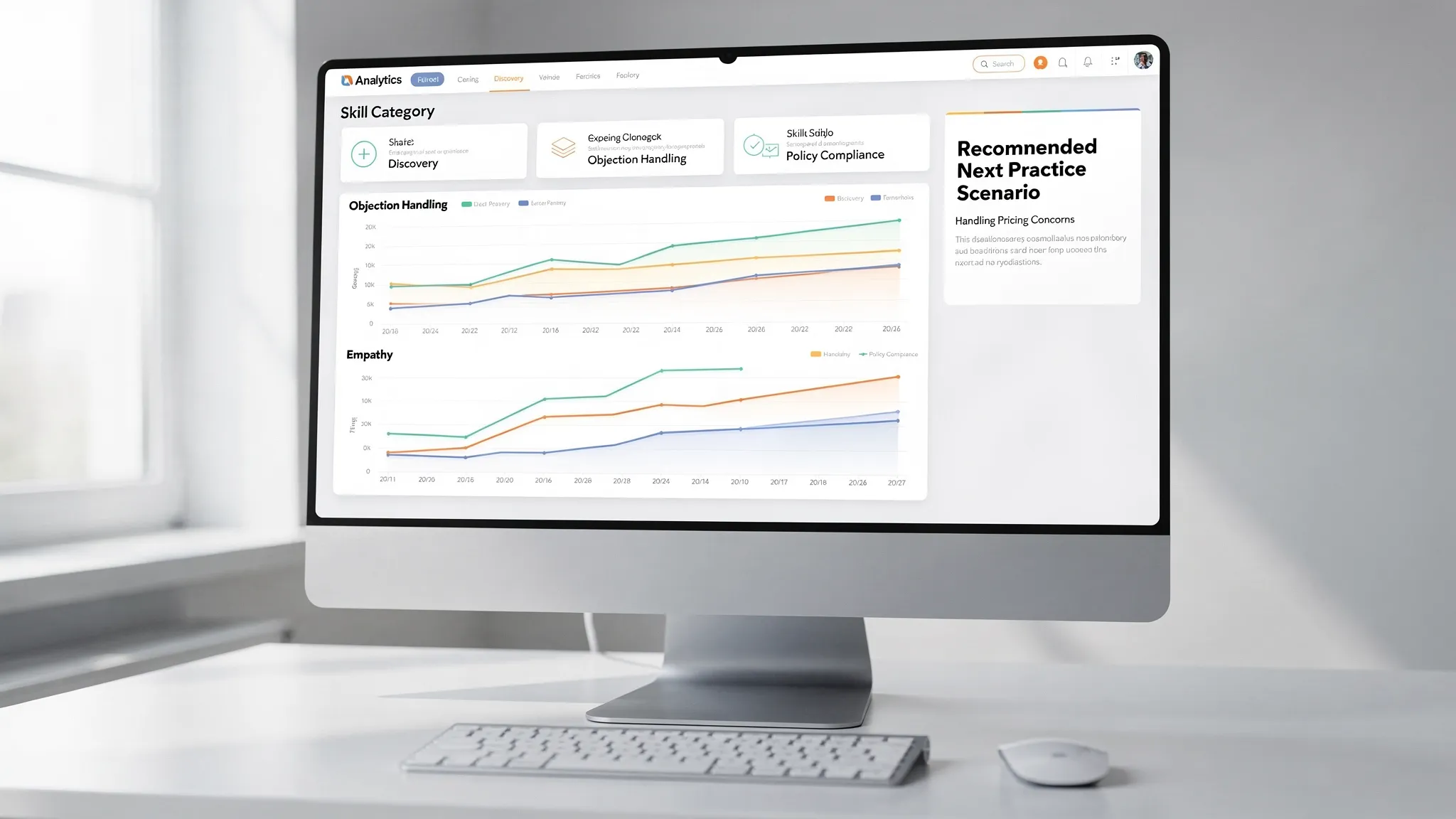
The most valuable custom AI solutions get better over time because they create a feedback loop.
For revenue teams, a strong learning loop often includes:
- Practice (simulations, roleplays, scenario drills)
- Feedback (real-time coaching, scoring, recommended improvements)
- Tracking (progress analytics at the rep, team, and skill level)
- Iteration (update scenarios, rubrics, knowledge, and playbooks)
This is where AI can outperform static training content. Instead of one-size-fits-all modules, you can adapt scenarios to skill level, role, product line, and common objections.
Step 7: Run a tight pilot, then scale what works
A pilot should be long enough to show measurable improvement, and short enough to keep urgency. Many teams can learn what they need in 4 to 6 weeks.
| Pilot phase | What you do | What you measure | Output you want |
|---|---|---|---|
| Week 1 | Pick one team, one motion, one scenario set | Baseline skill scores or QA scores | Clear starting point and success criteria |
| Weeks 2 to 3 | Deploy, coach adoption, collect feedback | Completion, engagement, rep sentiment | Proof that the workflow fits reality |
| Weeks 4 to 5 | Tighten scenarios, rubrics, and guardrails | Skill lift, QA lift, reduced rework | Evidence of improvement, not just usage |
| Week 6 | Decide scale plan and ownership | Operational readiness | Rollout checklist, governance owner, next use case |
Scaling usually fails when ownership is vague. Decide who owns:
- Scenario and content updates
- Rubric changes and calibration
- Data access approvals
- Ongoing measurement
Common pitfalls (and how to avoid them)
Starting with a chatbot because it is visible
Customer-facing AI is tempting because it is easy to showcase. It is also where errors are most expensive. If you are early in your AI journey, consider starting with internal enablement, agent assist, or coaching.
Over-customizing before you prove adoption
Teams sometimes spend months building the “perfect” solution, then discover that reps will not use it. Prove adoption with a smaller scope, then customize deeper.
Ignoring change management
AI changes how people work, not just the tools they use. Adoption improves when managers can see progress and coach to it, and when frontline teams understand what the AI will and will not do.
No measurement plan
If you cannot answer “Did this improve outcomes?” you will not get budget for phase two. Build measurement into the pilot from day one.
Where Scenario IQ can help
If your priority is improving real conversations, not just generating text, AI-driven roleplay is a strong starting point. Scenario IQ focuses on AI-powered, personalized, scenario-based training for sales and service teams, including simulations, real-time feedback, and progress analytics. This makes it easier to practice the moments that matter (objection handling, de-escalation, discovery) and track improvement over time.
If you are evaluating custom AI solutions and want a lower-risk way to start, explore Scenario IQ and map your first pilot around the conversations that drive revenue and retention.
A simple starting recommendation
If you are deciding where to start this quarter, pick one sales or support motion where conversation quality directly impacts outcomes. Build a narrow scenario set, define a scoring rubric, run a short pilot, and treat governance and evaluation as first-class requirements. Once you can demonstrate measurable improvement and consistent adoption, you will have the foundation to expand into higher-impact automation and customer-facing experiences with confidence.