

AI is now the backbone of modern contact centers, but not all platforms will fit your operation, your data, or your regulatory environment. The right contact center AI platform should reduce average handle time, lift CSAT, improve compliance, and make agents more confident, not just add another tool to manage. Use this practical checklist to evaluate vendors, structure a pilot, and buy with confidence.

How to use this checklist
This guide is designed for CX, operations, IT, and training leaders who are evaluating platforms in 2026. Start by aligning on business outcomes, then score vendors across capabilities, architecture, security, analytics, and change management. Ask vendors to prove claims with production-like demos, live latency measurements, annotated transcripts, and documented controls. If you run an RFP, map sections one-to-one with the checklist so responses are easy to compare.
1) Define outcomes and use cases before demo day
Clarity on goals will focus your evaluation. A platform that is excellent at agent assist may not be the best choice for high-volume self-service, and vice versa.
| Outcome | Why it matters | Sample KPI |
|---|---|---|
| Faster resolution | Shorter interactions lower costs and frustration | Average handle time, time to first response |
| Higher first contact resolution | Prevents repeat contacts and churn | First contact resolution rate |
| Better customer satisfaction | Measures experience, not just speed | CSAT, NPS, sentiment |
| Compliance and risk reduction | Reduces fines and brand risk | QA coverage, adherence to scripts and disclosures |
| Revenue growth | Turns service into sales | Conversion rate, revenue per contact |
| Workforce productivity | Helps agents ramp faster and work smarter | Ramp time, after-call work, supervisor escalations |
Start by prioritizing two or three use cases, for example virtual agent for password resets or billing, real-time agent assist for complex claims, and automated QA for all calls. This keeps your pilot measurable and manageable.
2) Omnichannel coverage and language readiness
Customers expect consistent help across channels. Verify what channels are supported natively and how capabilities vary by channel.
- Voice, chat, SMS, messaging apps, email, and social channels should be supported with a common orchestration layer.
- Language and accent coverage should match your footprint, including regional dialects and code switching.
- Routing should pass context between channels so customers never repeat themselves.
Ask vendors to show a single conversation that moves from web chat to voice while preserving context, knowledge citations, and compliance prompts.
3) Conversational AI depth and agent assist quality
The core engine should do more than intent classification. You are looking for safe, grounded automation and in-flow guidance for humans.
- Retrieval grounded responses, with citations to approved knowledge, reduce hallucinations and speed updates.
- Real-time agent assist should surface next-best actions, suggested replies, and guided workflows that adapt to the live conversation.
- Summarization should produce accurate, structured notes mapped to your CRM schema, not just free text.
- Guardrails, redaction, and policy rules must prevent sensitive content from being generated or stored.
- Continuous learning should allow prompt and knowledge updates without retraining models.
Have the vendor walk through a difficult scenario, such as a cancellation save or a regulated disclosure, and show exactly how the system prevents off-policy responses.
4) Speech stack that holds up in the real world
For voice, end-to-end performance depends on automatic speech recognition, turn-taking, and text-to-speech quality. Measure latency from customer speech to agent or bot reply and review accuracy on your audio samples. Look for barge-in handling, speaker diarization that separates customer and agent accurately, and natural text-to-speech voices that support your brand tone.
5) Knowledge, retrieval, and hallucination control
Your knowledge base is the source of truth. The platform should connect to your knowledge tools, ticket history, product catalog, and policies, then ground responses with inline citations customers or agents can verify. You will want versioning, approval workflows, and the ability to roll back prompts and knowledge packs quickly. Ask for hallucination monitoring, contested answer workflows, and safe fallback behaviors when confidence is low.
6) Integrations, data, and enterprise architecture
Your platform must fit into your existing contact center and data ecosystem. Confirm deep integrations with your CCaaS, CRM, ticketing, workforce tools, and BI stack. You will want event streams, webhooks, and open APIs for real-time context sharing and analytics.
If you are in a vertical with specialized processes, validate domain integration. For example, travel brands often need orchestration around visas and border rules. It can be helpful to integrate services that simplify border-crossing administration so your agents and bots provide accurate, up-to-date guidance without manual lookup.
Data ownership and portability matter. Ensure you can export conversation data, prompts, and evaluation datasets in open formats so you are not locked in.
7) Security, privacy, and compliance without compromise
Security and privacy should be table stakes, not an afterthought.
- Evidence of independent audits such as SOC 2 Type II and ISO 27001, plus alignment to regional data residency needs.
- Fine-grained access control with SSO via SAML or OIDC, role-based permissions, and audit logs.
- Encryption in transit and at rest, configurable data retention, and policy-based redaction for PCI, PHI, and PII.
- Clear model governance, including which data is used for training, how prompts are stored, and the ability to opt out of vendor model training.
Ask for a completed security questionnaire and documentation that matches your regulatory scope, for example PCI DSS scope definition for payments on calls.
8) Reliability, scalability, and observability
Request transparent service level objectives and architecture diagrams that show regional redundancy. Evaluate concurrency limits, autoscaling behavior, and failure modes. For voice, listen for clipping or long delays under load. For all channels, review real-time dashboards and logs that help your team detect issues, roll back changes, and route to fallbacks when needed.
9) Analytics, QA automation, and insights you can act on
Automation should not be a black box. Look for automated QA that scores interactions against your quality forms, topic clustering to reveal drivers of contact volume, sentiment and outcome labeling, and performance dashboards by queue, agent, and intent. Calibration workflows should let supervisors review and adjust scoring criteria so the model learns your standards.
10) People, process, and change management
Technology succeeds when people are ready. Plan enablement for agents, team leads, and knowledge managers. Train on new workflows, policies, and how to use AI guidance responsibly. Run scheduled calibration sessions with supervisors to align on quality expectations. Pairing platform rollout with realistic practice is one of the fastest ways to accelerate adoption.
Scenario IQ can help here. With AI-powered roleplay simulations, personalized training scenarios, real-time feedback, adaptive guidance, daily actionable tips, and performance dashboards, teams build confidence before they go live. Use scenario-based training to rehearse new call flows, objection handling, and compliance scripts so day-one performance is strong.
11) Pricing, TCO, and the business case
Understand every line item so your model scales economically.
- Licensing basis, for example per user, per interaction, per minute, or consumption based.
- Speech and language costs, including STT, TTS, and translation.
- LLM usage, such as token volumes and caching strategies.
- Implementation and ongoing configuration, from knowledge work to prompt ops.
- Support tiers and incident response.
Build a one-year and three-year TCO that includes expected volume growth and efficiency gains. Tie savings and revenue lift back to the KPIs you defined at the start.
12) Vendor viability and partnership model
You are not just buying software, you are choosing a partner. Evaluate product velocity, roadmap alignment with your use cases, support responsiveness, and references in your industry. Ensure the vendor offers practical success resources, including solution architects, prompt and knowledge best practices, and change management guidance.
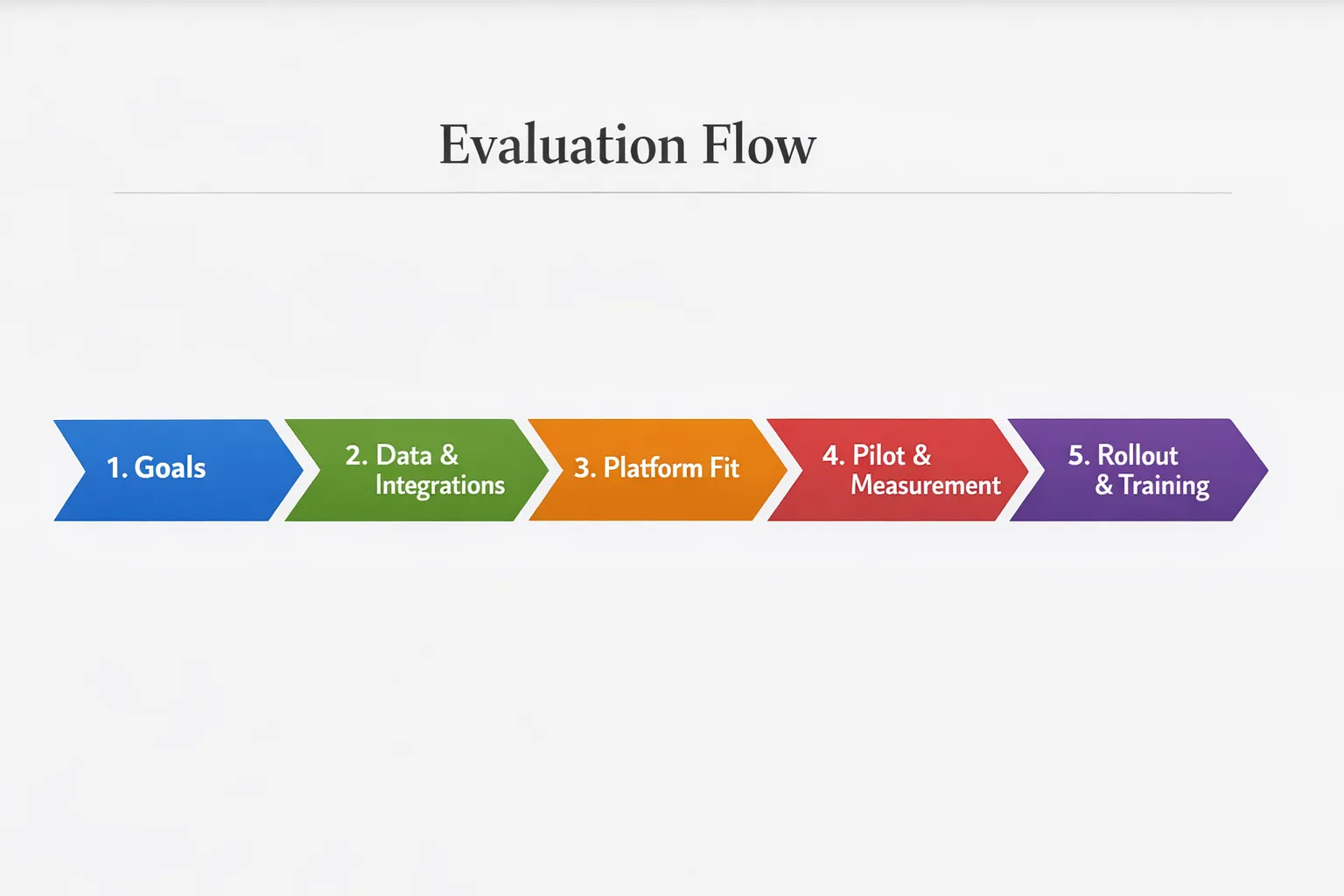
Contact Center AI Platform Checklist
Use this table during demos and RFPs. Weight each row based on your priorities.
| Requirement | What good looks like | Questions to ask | Proof to request |
|---|---|---|---|
| Outcomes and KPIs | Clear link to deflection, CSAT, AHT, revenue, compliance | Which KPIs typically improve for similar customers | Case studies, before and after metrics |
| Omnichannel coverage | Consistent capabilities across voice, chat, messaging, email | Which features differ by channel | Cross channel demo with preserved context |
| Language and accents | Supported languages match footprint, dialect tolerant | How is accuracy tracked by language | Sample transcripts on your audio |
| Speech performance | Low latency, high accuracy under noise and crosstalk | How do you measure end-to-end latency | Live latency readouts and logs |
| Agent assist | Real-time guidance, suggested replies, next-best action | What triggers guidance, can supervisors tune it | Screen capture of live assist in your CRM |
| Virtual agent quality | Grounded responses with citations and safe fallbacks | How do you handle low confidence moments | Demo with citations and fallback behavior |
| Knowledge integration | Connectors to KB, CRM, ticket history, policies | How fast can we publish a policy update | Update to response in a timed demo |
| Hallucination control | RAG, citations, policy guardrails | How is hallucination tracked and reduced | Evaluation report and policy config |
| Integrations and APIs | Open APIs, events, webhooks, SDKs | What is supported out of the box vs custom | API docs, connector list, sample code |
| Security and privacy | SOC 2 Type II, ISO 27001, SSO, RBAC, audit logs | How is PII redacted and retained | Audit reports, data flow diagram |
| Compliance fit | PCI options, HIPAA controls if applicable | How do you define compliance scope | Attestations and scope documents |
| Reliability and scale | Regional redundancy, autoscaling, clear SLAs | What are concurrency and rate limits | Architecture diagram, SLA document |
| Analytics and QA | Automated QA with calibrations, topic insights | Can we customize scoring and tags | Sample dashboards and calibration workflow |
| Governance and change | Versioned prompts, rollout approvals, rollbacks | How do we test and release updates | Change log and approval workflow demo |
| Pricing clarity | Transparent rates and usage estimates | How are STT, TTS, and LLM billed | Itemized quote and pricing model |
| Success and support | Named CSM, solution resources, training plan | What does day 0 to day 90 look like | Enablement plan and named team |
A simple 30-day pilot plan
- Define scope and success metrics, for example reduce AHT by a set amount on a focused queue.
- Assemble data and integrations, connect CRM, knowledge base, and a limited agent group.
- Configure prompts, policies, and QA forms, complete a security review for pilot data.
- Run internal dry runs, validate latency, accuracy, and guardrails with sample calls and chats.
- Launch with a small subset of agents or intents, monitor live KPIs daily.
- Calibrate weekly with supervisors, adjust knowledge, prompts, and guidance rules.
- Compare against a control group, capture agent feedback and customer outcomes.
- Decide go, iterate, or pivot based on KPI movement and operational fit.
Readiness self check
Before you sign, confirm three essentials. You have agreed outcomes and baselines for success, you can supply clean knowledge and data for grounding, and you have a training plan for agents and supervisors so adoption does not lag the technology.
Frequently Asked Questions
Do I need a new CCaaS to deploy a contact center AI platform? Not always. Many platforms layer on top of your existing CCaaS, CRM, and knowledge tools through APIs and event streams. Validate integration depth early to avoid surprises.
How do I choose between virtual agents and agent assist first? If your top drivers are repetitive inquiries with clear policies, virtual agents can make an immediate impact. If your calls are complex, regulated, or sales oriented, start with real-time agent assist and automated QA to lift consistency and speed.
What latency targets should I set for voice? Rather than a single number, set targets per use case. Short prompts and confirmations can tolerate slightly higher delay, while guided rebuttals in live sales calls require near real time responsiveness. Measure end-to-end from customer speech to reply during your pilot.
How do I keep the system from making things up? Use retrieval grounded generation with citations, set confidence thresholds, and define safe fallback behaviors. Monitor hallucination rates with review workflows and keep knowledge fresh with version control.
What are the hidden costs I should watch for? Beyond licenses, budget for speech minutes, LLM usage, translation, implementation, and ongoing prompt or knowledge operations. Ask for an itemized estimate tied to your forecasted volumes.
How do I ensure agents adopt the new tools? Combine clear workflows with hands-on practice and targeted coaching. Scenario-based training, real-time feedback, and supervisor calibrations help agents trust guidance and use it effectively.
Build agent confidence while you modernize your stack
Rolling out a new contact center AI platform is a change in how your team serves customers. Give agents and supervisors the practice and feedback they need to excel from day one. Scenario IQ delivers AI-powered roleplay simulations, personalized training scenarios, real-time feedback, adaptive guidance, daily tips, progress tracking analytics, team-focused learning, enterprise-grade security, customizable skill levels, and performance dashboards. Get your team ready to handle objections, follow new policies, and close more deals.
Request a demo at Scenario IQ and turn your checklist into a confident, measurable rollout.