

Picking from hundreds of AI training courses can feel like choosing a gym plan, lots of options, unclear outcomes, and most people quit after week two. In 2025, the best approach is not “learn everything about AI.” It is learning the smallest set of skills that lets you use AI safely and measurably in your day-to-day work, then building upward.
This guide breaks down what to learn first (and why), in the order that delivers the fastest ROI for most professionals and teams.
Start with your outcome, not the course catalog
AI training is most effective when it maps to a business outcome. Otherwise, people learn terms like “tokens” and “embeddings” and still do the same work the same way.
Before you pick a course, write down:
- The workflow you want to improve (for example, handling customer objections, summarizing calls, drafting proposals, triaging tickets)
- The risk level (low risk internal drafts vs regulated customer communications)
- How you will measure improvement (time saved, conversion rate, CSAT, quality scores, fewer escalations)
If you are an L&D or revenue leader, add one more: behavior change you expect to see on the job (for example, better discovery questions, clearer explanations, fewer policy mistakes).
The 2025 AI learning order (what to learn first)
Most people get the best results with this progression. Each step builds on the one before it.
1) AI literacy (the minimum viable foundation)
What this is: A practical understanding of what modern AI can and cannot do, especially generative AI, and the basic vocabulary to communicate clearly with stakeholders.
Why it comes first: It prevents expensive misunderstandings, like assuming the model is “correct,” confusing confidence with accuracy, or treating a chatbot like a secure database.
Look for courses that cover:
- Core concepts (generative AI, machine learning vs rules, hallucinations, context windows)
- Common failure modes (fabricated facts, bias, prompt sensitivity)
- Real-world examples in your industry
Quick win exercise: Pick one task you do weekly. Ask an AI tool to draft an output, then verify it like you would verify a junior employee’s work. Write down what it got wrong and what it got right. That becomes your baseline for training and governance.
2) Prompting plus workflow design (prompting is not the skill, the workflow is)
What this is: Writing prompts is useful, but the real value is designing repeatable workflows: input, constraints, examples, checks, and next actions.
Why it matters in 2025: AI is being embedded into tools and processes. Teams that win are the ones who standardize how AI supports work, not the ones with a few “prompt gurus.”
Look for courses that teach:
- How to specify role, audience, and success criteria
- How to provide structured context (templates, examples, style guides)
- How to force verification steps (citations, calculations, “ask before assuming”)
- How to turn one-off prompts into reusable playbooks
Quick win exercise: Create a “two-pass” prompt for any customer-facing content.
- Pass 1: draft
- Pass 2: critique against your rubric (tone, policy, accuracy, clarity)
This single habit reduces risk and increases consistency.
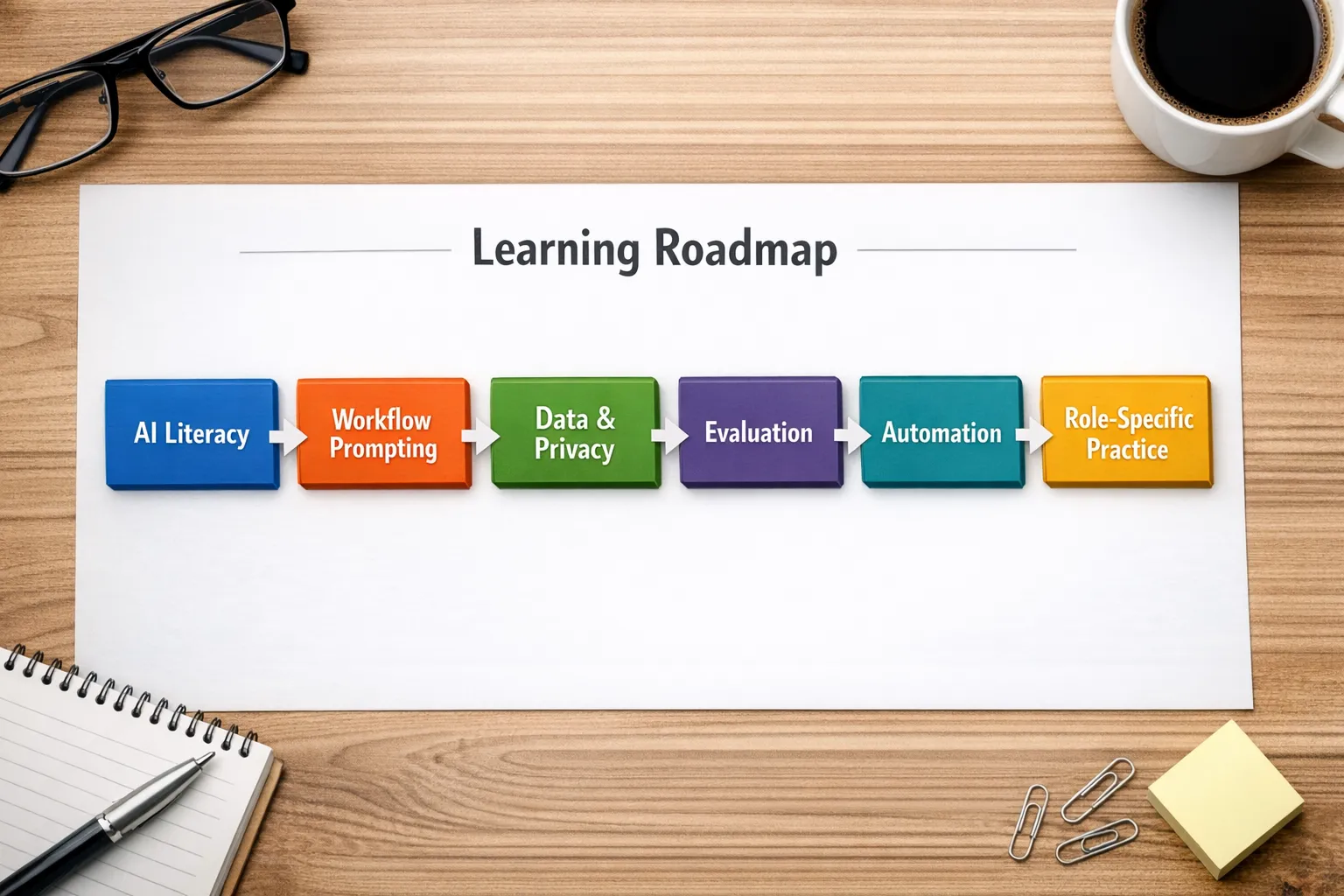
3) Data privacy, security, and compliance basics
What this is: Understanding what data you can share with AI tools, how to handle sensitive information, and how regulations and internal policies affect AI use.
Why it comes early: The moment AI touches customer data, pricing, contracts, healthcare details, or internal strategy, the risk profile changes.
Strong foundational references (useful even if you never become a compliance expert):
- The NIST AI Risk Management Framework for risk thinking and controls
- The OECD AI Principles for responsible AI basics
What to learn in a first security-focused AI course:
- Data classification (public, internal, confidential, regulated)
- Common leakage paths (copy-paste, file uploads, conversation history)
- Human-in-the-loop approvals for customer-facing outputs
- Vendor risk questions (retention, access controls, training on your data)
Quick win exercise: Draft a one-page “AI do’s and don’ts” for your team. Even a lightweight policy reduces accidental oversharing.
4) AI output evaluation (quality control is the differentiator)
What this is: A set of methods to judge AI output quality reliably, not based on vibes.
Why it matters: In business settings, the key question is not “Can AI generate this?” It is “Can we trust it enough, and how do we catch errors?”
Look for courses that cover:
- Rubrics and scorecards (accuracy, completeness, tone, policy adherence)
- Sampling and review processes (spot checks vs full review)
- Grounding techniques (using approved knowledge sources)
- Versioning and continuous improvement (what changed, what improved)
Quick win exercise: Build a 10-item checklist for one use case (for example, sales email quality, support reply quality). Use it to grade AI outputs weekly.
5) Automation and integration (from “helpful” to “systematic”)
What this is: Connecting AI to your tools and processes (CRM, help desk, knowledge base), and understanding where automation helps vs harms.
Why it belongs after evaluation: Automating a workflow you cannot evaluate is how errors scale.
Look for courses that cover:
- Basic automation concepts (triggers, actions, approvals)
- “Human in the loop” patterns for customer impact
- Monitoring and logging (what happened, why, and who approved)
- Cost and latency fundamentals (especially for high-volume teams)
Quick win exercise: Automate a low-risk internal task first (meeting summaries, internal handoffs), then expand to customer-facing steps only after you have quality gates.
6) Role-specific application (sales, service, leadership, ops)
This is where AI training stops being generic and starts changing performance.
For sales and service teams, the highest-impact skills are often conversational and behavioral:
- Discovery and question quality
- Objection handling
- Explaining value clearly, without jargon
- De-escalation and empathy
- Policy-compliant responses under pressure
Role-specific courses should include realistic practice, not just lectures. If the course is purely theory, expect low transfer to the job.
A simple “what to learn first” matrix
Use this table to pick your first two course types based on your role.
| Your role | Learn first | Learn second | What success looks like in 30 days |
|---|---|---|---|
| Individual contributor (any function) | AI literacy + workflow prompting | Output evaluation | You have 2 to 3 reusable AI workflows that save time and meet quality standards |
| Sales rep or account manager | Workflow prompting for messaging and discovery | Roleplay practice with feedback | Higher-quality talk tracks, better objection handling, improved meeting outcomes |
| Customer support or success | AI literacy + safety basics | Evaluation with policy rubrics | Faster responses without increased errors, fewer escalations |
| Team lead / manager | Evaluation + measurement | Privacy and governance basics | A repeatable way to measure quality, coaching, and adoption |
| L&D / enablement | Role-specific practice design | Analytics and continuous improvement | Training that changes behavior, not just completion rates |
What a practical 4-week starter plan can look like
If you want structure without overcommitting, this pacing works for many teams.
Week 1: AI literacy and safe usage rules
Align on what “good AI use” means inside your organization. Ensure everyone understands basic limitations and your data rules.
Week 2: Prompting workflows for one use case
Pick one workflow (for example, first-touch outreach, renewal email, handling a billing dispute). Build a reusable template prompt plus a checklist.
Week 3: Evaluate and improve
Grade outputs with your rubric, refine prompts, and document the best examples. This is where performance gains compound.
Week 4: Practice under pressure
Run realistic simulations with time constraints and common edge cases. People do not fail in real conversations because they lack information, they fail because they cannot apply it quickly.

How to choose an AI training course that actually helps
A strong course in 2025 usually includes these elements:
- Hands-on work: assignments using real scenarios, not just quizzes
- Clear evaluation: rubrics, examples of great vs risky outputs
- Policy alignment: privacy, compliance, and brand voice guidance
- Practice loops: repetition, feedback, and improvement over time
- Measurement: progress tracking tied to performance metrics
Be cautious with courses that promise you will “master AI in a weekend,” or that focus only on tool buttons without teaching decision-making, evaluation, and risk controls.
Where AI roleplay fits (especially for sales and service)
Even great AI knowledge does not automatically translate into better customer conversations. Sales and service are performance domains, you need practice, feedback, and repetition.
That is why scenario-based training is often the fastest path from “we trained people on AI” to “performance improved.” A well-designed roleplay program lets your team rehearse:
- Handling objections without getting defensive
- Navigating policy constraints while staying helpful
- Recovering from a mistake mid-conversation
- Adjusting tone for different customer personas
Platforms like Scenario IQ are built specifically around this idea, using AI-powered roleplay simulations and personalized scenarios, with real-time feedback and progress tracking so practice translates into measurable improvement.
Frequently Asked Questions
What are AI training courses, exactly? AI training courses teach how to understand, use, and manage AI tools in real workflows. In 2025, the most useful courses focus on practical use of generative AI, safe data handling, output evaluation, and role-specific application.
What should I learn first if I am a complete beginner? Start with AI literacy, then learn workflow prompting (how to design repeatable prompts and checks). Without those two, more advanced topics tend to feel abstract and harder to apply.
Do I need to learn coding to benefit from AI training? Not necessarily. Many high-impact AI skills for sales, service, marketing, and operations are non-technical (workflow design, evaluation, governance, communication). Coding becomes helpful when you want deeper automation or custom integrations.
How long does it take to see ROI from AI training? Many teams see measurable time savings within weeks if training is tied to a specific workflow and includes evaluation. Performance improvements in sales and service often require practice cycles, not just knowledge.
What is the biggest mistake people make with AI at work? Treating AI output as correct by default. The fix is learning evaluation methods (rubrics, verification steps, policy checks) and building them into your workflows.
Which AI skills matter most for sales and customer service? Beyond tool usage, the biggest performance drivers are conversational skills: discovery, objection handling, de-escalation, clear explanations, and consistency under pressure. Scenario-based practice with feedback is often the fastest way to improve these.
Turn learning into performance with scenario-based practice
If your goal is better sales conversations, stronger objection handling, and more confident customer interactions, theory-only AI training is rarely enough. You need realistic practice, feedback, and a way to track progress.
Scenario IQ helps teams do exactly that with AI-powered roleplay simulations, personalized training scenarios, real-time feedback, and analytics that make improvement visible. Explore how it works at Scenario IQ.